Help Center
News
Go back to application
Help Center
News
Go back to application
Your Knowledge Base is Evolving!
Financials
Petty Cash
How do I add a petty cash?Edit a Petty CashDelete a petty CashAdd a movement to a petty cashAdd a movement to a petty cash (copy)Add a movement to a petty cash (copy) (copy)view petty cash movements
Payment request
Create a payment requestAccess existing payment requestsRemove an invoice from a payment request
Admin
IODD's Admin Features
Tasks
"Company tasks" vs. "my tasksAdd a taskTask detailsEdit a taskDelete a taskManage task categories
Expenses
Create an Expenses ClaimAdd manually an Expense to a claimImport receipt previously scanned with the App in a claim
Tips
How to reset your password?How to change your password?Change your languageSwitch companySwitch UserManage your notifications

Add a movement to a petty cash (copy)

First of all, make sure you're in the petty cash for which you want to add a transaction

to do this, select the petty cash from the list
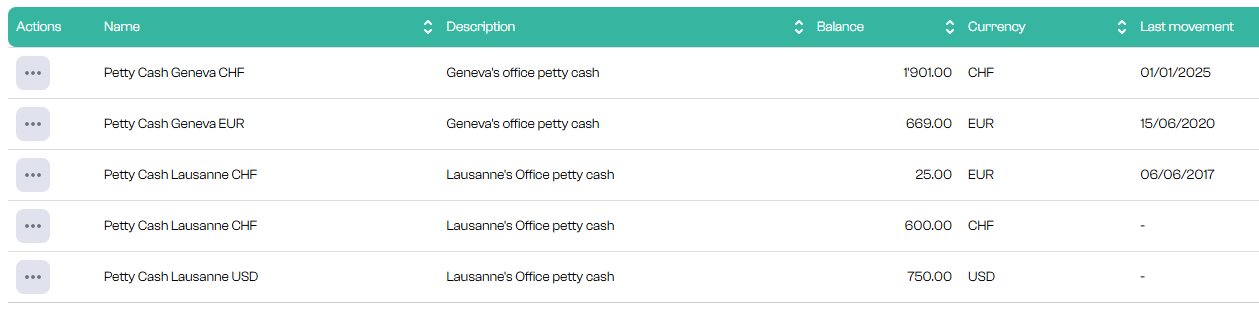
 

press on

then “view movements”.
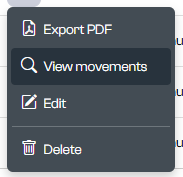
which will toggle you into the petty cash

Identify the movement to be modified in the list
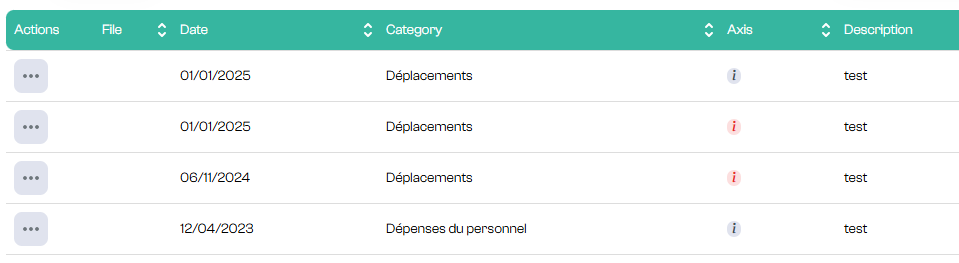
Then press 

et Edit
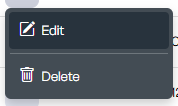
to open the input form with the information to be modified
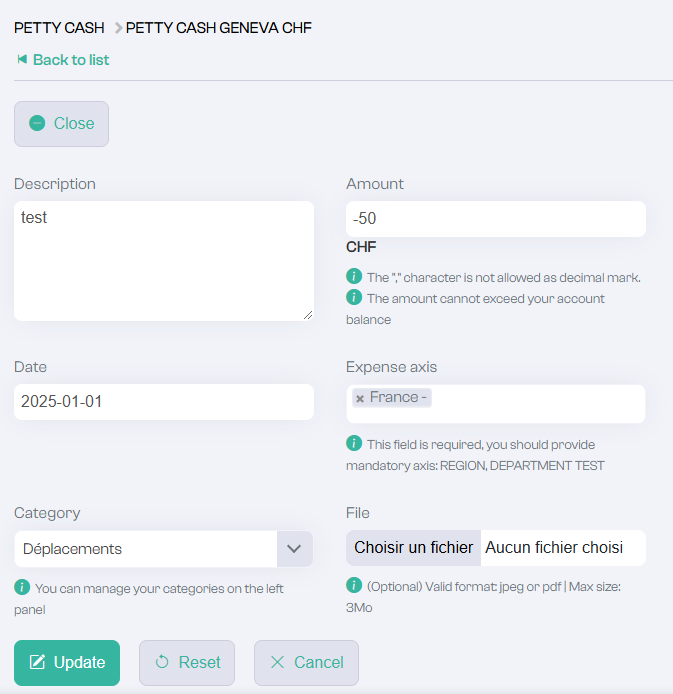
adjust the information as required

to confirm, press

 

Was this article helpful?

English
  • English
  • Français
Powered by Product Fruits